Deploying AutoML
In this post, I will discuss how I have deployed my custom AutoML tool in AWS. I take a “GitOps” approach, maintaining and updating the infrastructure through Github Actions, and use Terraform to provision the resources to run the tool and store results. One advantage of this approach is that the infrastructure is maintainable as code and can be shared with others. My code and a walkthrough showing how to deploy the tool are available here: https://github.com/AndrewCarr24/automl-deploy.
AutoML Deployment Architecture
Here is a diagram of the deployment architecture:
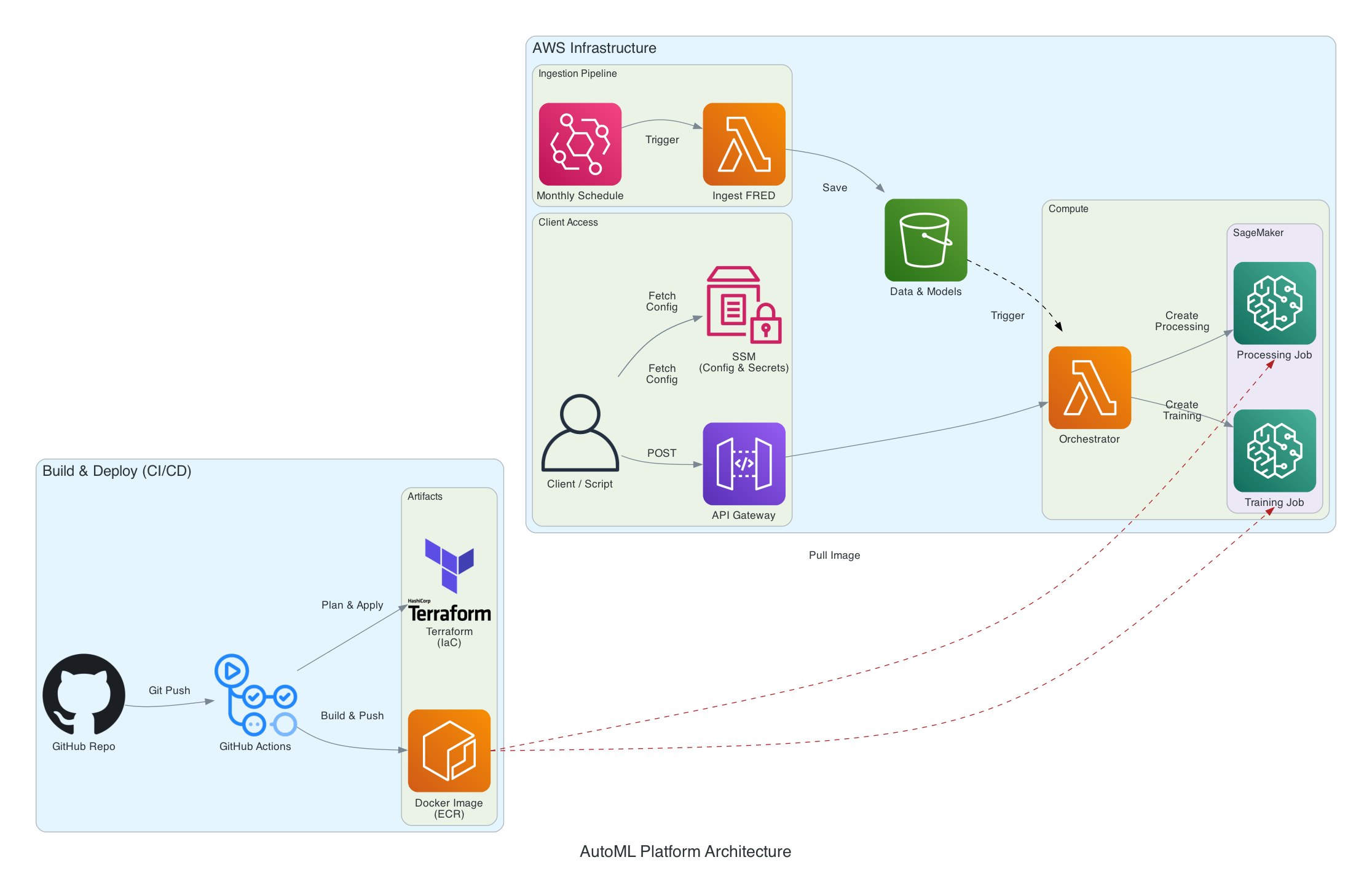
The bottom left blue box shows how the infrastructure is set up. Upon pushing to the deployment repo, a Github Action is executed that applies the Terraform configuration (provisioning and configuring permissions for AWS resources) and registers a Docker image for the AutoML environment in Amazon ECR.
The top right blue box shows how the model is accessed through API endpoints (“Client Access”) and scheduled triggers (“Ingestion Pipeline”). API calls and scheduled jobs both trigger a Lambda function that runs SageMaker jobs. These jobs execute Python scripts that train the model, get predictions from a trained model, and generate model diagnostic plots. Model output is saved in S3 to a path that is determined by the parameters of the API call. You can follow through the Setup & Deployment and Usage sections of the README in the repo to deploy this on your AWS account.
The run_pipeline script in the ref folder demonstrates how to use the API. The script uploads the titanic dataset to S3 and runs AutoML using the train, predict, and plot API endpoints. The image below shows the output in S3 that results from running python ref/run_pipeline.py andrew titanic_demo train test in the command line, where andrew is the user, titanic_demo is the project, and train and test are the Titanic training and prediction datasets.
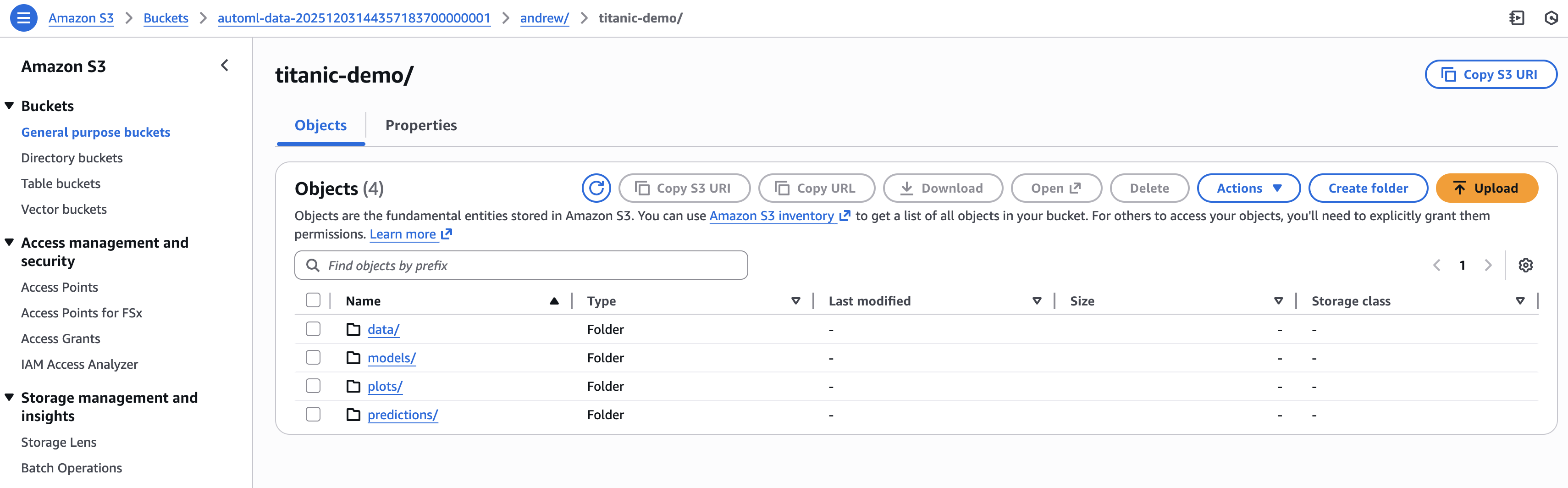
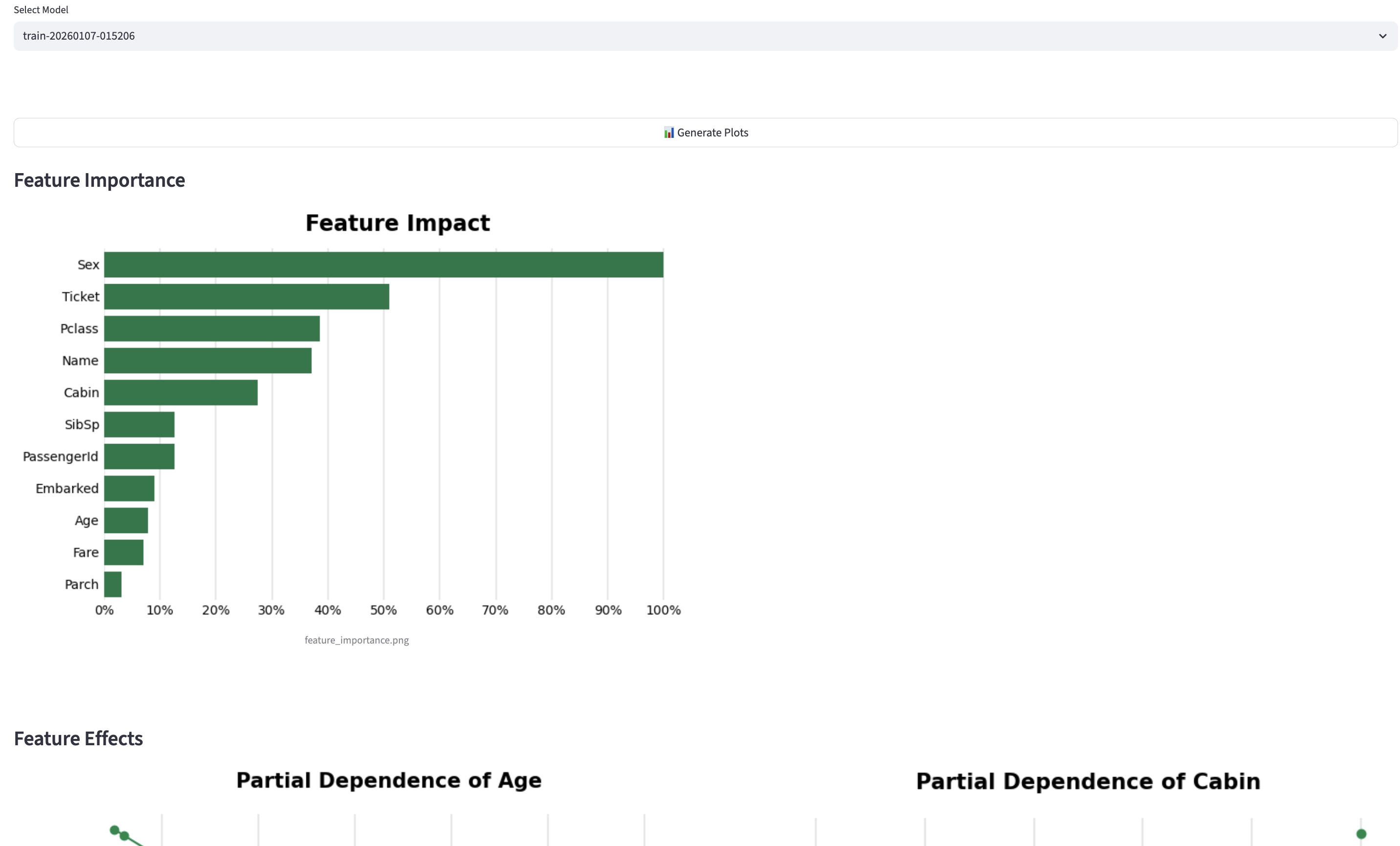
The training call saves a trained model to the models folder. The prediction call gets predictions on test.csv from the trained model and saves them to the predictions folder. The plotting call generates feature importance and feature effects plots using the trained model in models and saves them to the plots folder. One advantage of this deployment method is that the command-line arguments of run_pipeline ensure that multiple people can utilize AutoML for different projects. The model outputs are saved in separate locations in the automl-data S3 bucket.
Scheduled Execution of AutoML
I also set up an EventBridge job to trigger the AutoML tool on a monthly cadence. I configured this in Terraform by creating a Lambda function that runs src/handlers/ingest_fred.py, which uploads FRED (Federal Reserve Economic Database) unemployment data to S3. I created an S3 event notification to trigger the Orchestrator Lambda function whenever it receives new data. This Lambda function handles both the API and the scheduled deployments.
Here are the parts of the Terraform code that set this up:
# Compress Python script and create Lambda function that executes script
data "archive_file" "ingest_zip" {
  type        = "zip"
  source_file = "${path.module}/../src/handlers/ingest_fred.py"
  output_path = "${path.module}/ingest.zip"
}

resource "aws_lambda_function" "ingest" {
  filename         = data.archive_file.ingest_zip.output_path
  function_name    = "fred-ingestion"
  role             = aws_iam_role.lambda_role.arn
  handler          = "ingest_fred.lambda_handler"
  source_code_hash = data.archive_file.ingest_zip.output_base64sha256
  runtime          = "python3.10"
  timeout          = 60

  environment {
    variables = {
      FRED_API_KEY = data.aws_ssm_parameter.fred_key.value
      S3_BUCKET    = aws_s3_bucket.ml_bucket.id
    }
  }
}

# Create EventBridge rule that triggers Lambda function on monthly cadence
resource "aws_cloudwatch_event_rule" "monthly" {
  name                = "monthly-fred-fetch"
  description         = "Trigger FRED ingestion on the 1st of every month"
  schedule_expression = "cron(0 9 1 * ? *)"
}

resource "aws_cloudwatch_event_target" "trigger_ingest" {
  rule      = aws_cloudwatch_event_rule.monthly.name
  target_id = "FredIngestLambda"
  arn       = aws_lambda_function.ingest.arn
}

# Configure S3 bucket to trigger Orchestrator Lambda function whenever new csv (FRED data) is in system folder
resource "aws_s3_bucket_notification" "bucket_notification" {
  bucket = aws_s3_bucket.ml_bucket.id

  lambda_function {
    lambda_function_arn = aws_lambda_function.fn.arn
    events              = ["s3:ObjectCreated:*"]
    filter_prefix       = "system/"
    filter_suffix       = ".csv"
  }

  depends_on = [aws_lambda_permission.allow_s3]
}
Deploying AutoML as a Streamlit App
While setting up an API makes a model available to technical users, building a Streamlit app makes it accessible to a wider audience. I created a Streamlit app for AutoML as a proof of concept. To deploy this at an organization, one would need to host the app using a tool like AWS App Runner. Unlike Lambda, which is triggered by an event and runs for a short period of time, an App Runner instance runs 24/7 to ensure the app is always available. My Streamlit app is available in the deployment repo (app.py). I ran the app locally: streamlit run app.py.
The app opens on the Train Model tab. The user uploads training data and provides the outcome variable name to run the AutoML tool.
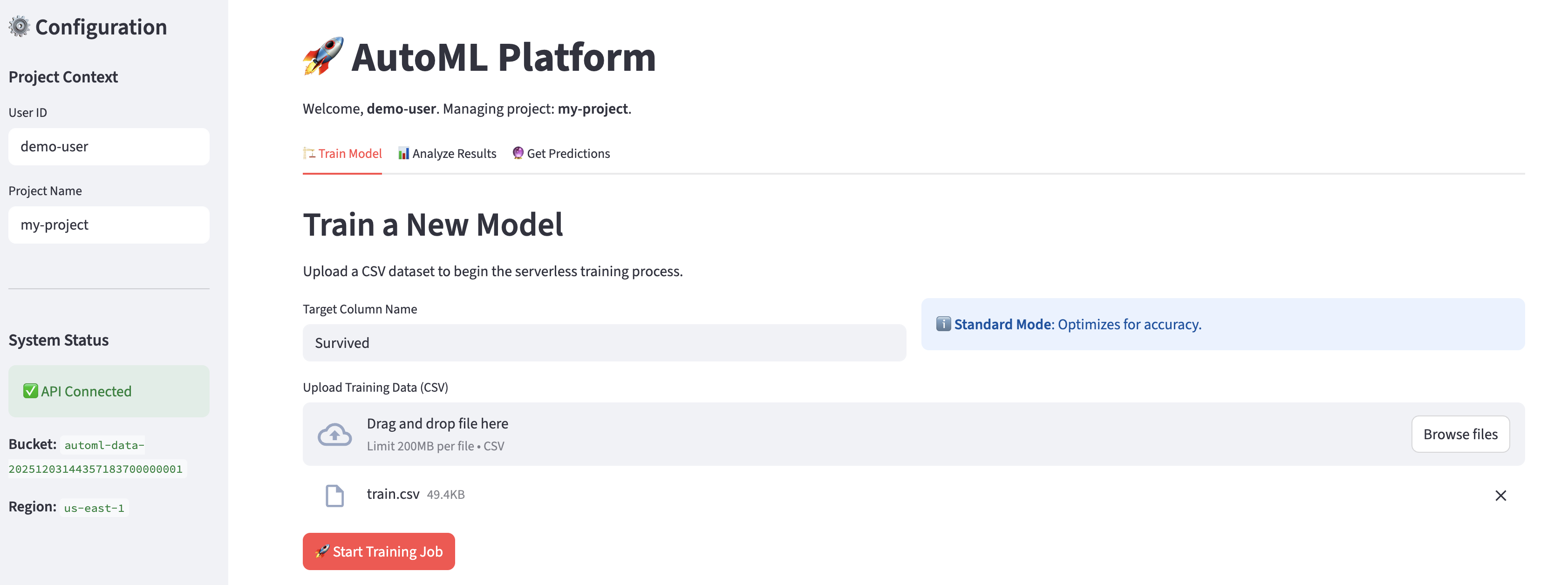
The User ID and Project Name fields in the left menu determine the S3 path to which the trained model is saved. The app notifies the user that the training job has been submitted and shares the job ID.

The user can view this job in Sagemaker.
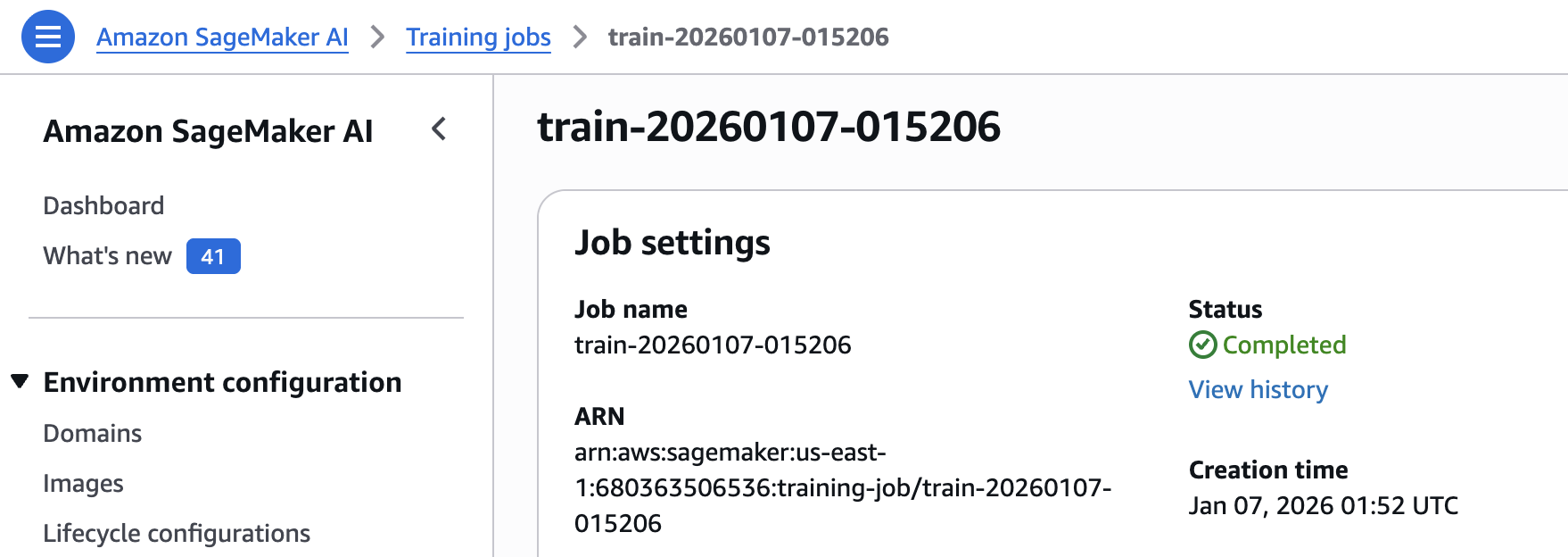
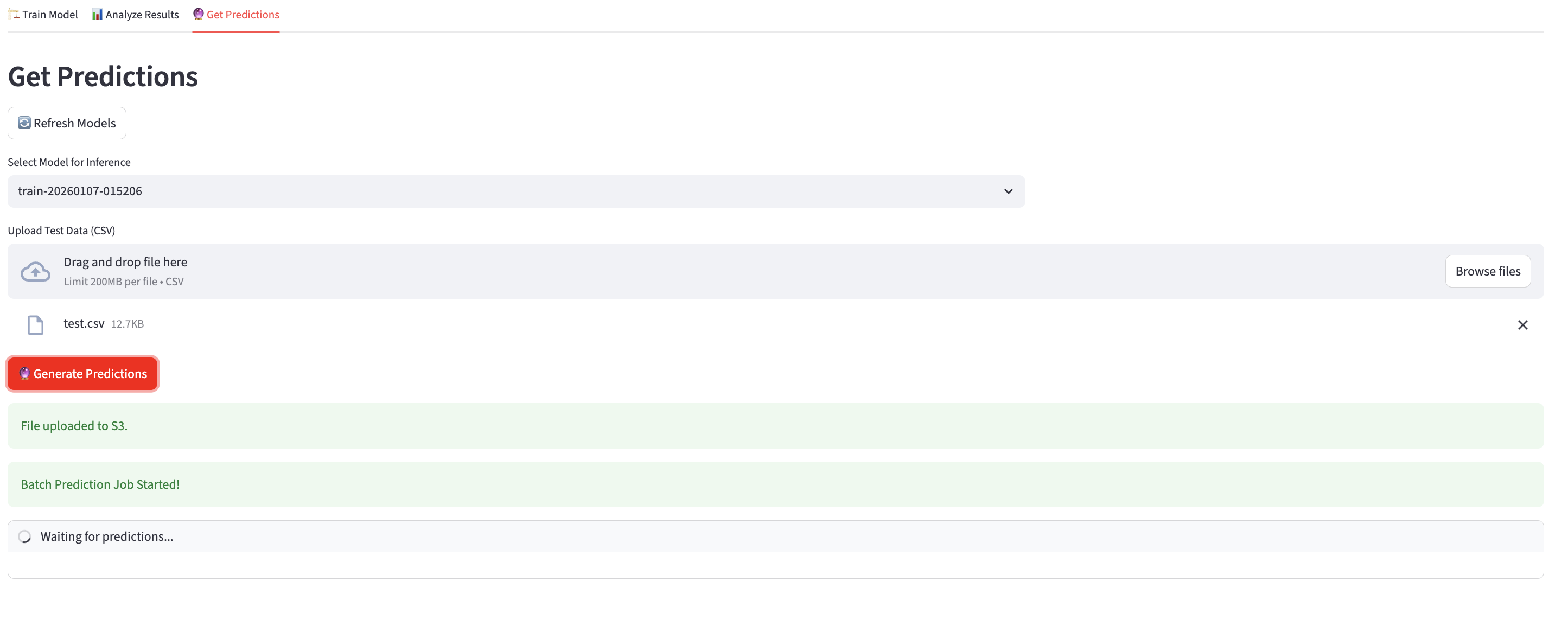
Once the job is complete, the user can generate plots or get predictions.
Recap
This setup is meant to showcase the versatility of Terraform and the ease with which multiple deployments of a model or tool can be configured in the one code repo. The current code creates an API for users to store models, predictions, and plots in S3 and a rule to automatically run AutoML on a monthly schedule. The deployment could be made more complex or simple by adding or removing resources from the Terraform file and pushing the changes to Github.